 BuildNotch
Get for Windows
BuildNotch
Get for Windows
Two useful apps. Different strengths.
Notchify is a broad Windows control center with strong media, system and device tools. BuildNotch concentrates on projects, code, focus and access to AI tools. Both include tasks, notes, media, clipboard and a file tray.
Reviewed October 16, 2026 by BuildNotch’s developer. This is a vendor-authored comparison of published features, not an independent hands-on benchmark. “Not listed” means unconfirmed in the reviewed materials, not a claim that a feature cannot exist.
The features, side by side.
| Feature | BuildNotch | Notchify |
|---|---|---|
| Music controls | Artwork, playback and progress through Windows media sessions. | Play/pause, skip, seeking, shuffle and repeat through Windows media controls. |
| Lyrics | Synced lyrics are not listed in the current BuildNotch release notes. | Synced words on the island; clickable full lyrics in the player and a pinnable lyrics widget. |
| Notifications | A Windows notification inbox is not listed. | Windows notification popups and history, grouped conversations, app opening and swipe dismissal. |
| Clipboard | Filter text, links, code and images; preview, copy or delete entries. | Text, links, images and files; pin, delete, preview and drag items into other apps. |
| File tray | Temporary file copies with thumbnails, export and drag-out. | Drag files into the tray and back out to other apps. |
| Tasks and notes | Task and note cards alongside the project workspace. | To-do checklist and notes widget, plus a calendar and upcoming-event view. |
| Timers and focus | Pomodoro-style focus/break timers with visual themes. | Timers and adjustable Pomodoro; runs while the island is closed and alerts on completion. |
| Widgets | Selectable workspace cards, including projects, GitHub, media and focus. | 20+ widgets, including weather, calendar, world clock and lyrics. |
| System monitoring | Battery and selected status information. | Live CPU, memory, disk and network graphs. |
| Bluetooth | Device-battery alerts are not listed. | Connection alerts and battery readings for supported devices, including BLE. |
| Audio and quick actions | App and project launchers; a system control center is not listed. | Output-device switching, volume/brightness, mute, theme, lock, sleep, snipping and Settings. |
| Screen recording | Screen recording is not listed. | Screen, system audio and mic recording; pause/stop capsule; recording playback and file management. |
| Privacy indicators | Mic/camera in-use indicators are not listed. | Microphone and camera indicators. |
| Developer tools | GitHub contributions, project shortcuts, code playground and JSON pretty-print/minify. | An equivalent project/code workspace is not listed. |
| AI tools | Installed AI app shortcuts and available usage/reset information for supported signed-in tools. | Comparable AI usage panels are not listed. |
| Launchers | Projects, sites, folders and AI app shortcuts. | App, folder, file and website shortcuts. |
| Appearance and layout | Reorder/show/hide cards; timer themes, wallpapers and a short-notch option. | 14 themes, theme editor, Notch/Island styles; carousel, grid or carousel-grid widgets. |
| Screen placement | Top-of-screen workspace; configurable fullscreen-app rules. | Edges/corners, display selection and follow-cursor across monitors; fullscreen visibility options. |
| Rendering and language | Native WinUI 3 app; no comparative performance measurement. | Native GPU rendering, adjustable frame rate up to 240 Hz; ten languages. No comparative benchmark. |
| Windows and installation | Windows 10 2004+ / 11, x64 installer from the Polar order; currently unsigned. | Windows 10 1809+ / 11; Microsoft Store installation and updates. |
| Price and trial | See the live BuildNotch price; direct paid download. | Paid Store app with a free trial; price depends on region. |
When to choose each app
Where Notchify offers more
Choose it for lyrics, notifications, recording, system controls and a larger widget catalogue. Its screen-position options, ten languages, theme editor and Store trial also make it easier to evaluate and fit to different setups.
Recent release coverage
This revision includes the 5.5 lyrics/monitor additions and 5.6 recording, placement and Settings updates, through the published 5.6.1 fixes. Earlier comparisons missed too much of that scope.
Where BuildNotch fits
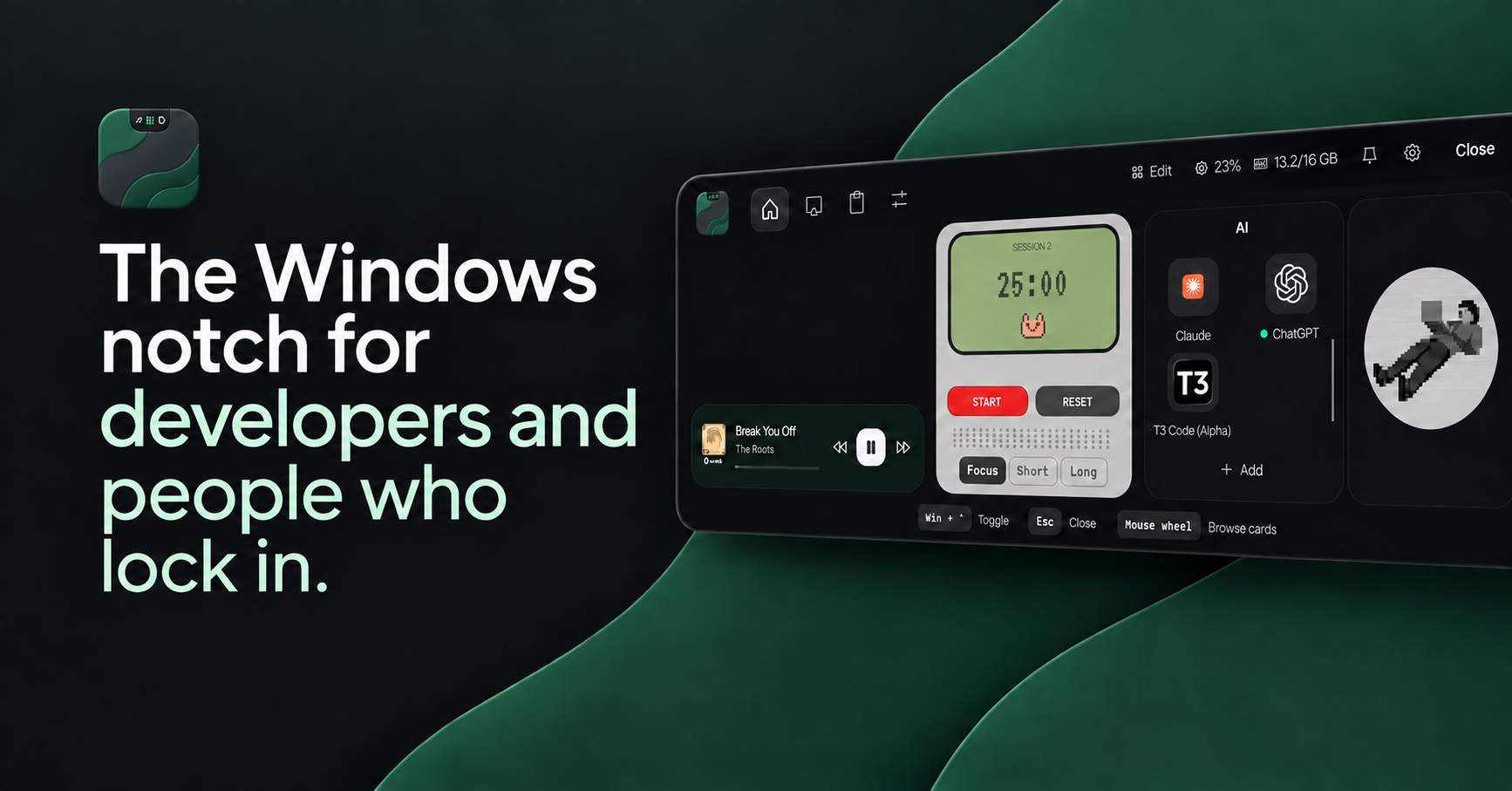
BuildNotch keeps GitHub activity, personal project links, installed AI apps, available usage readings and code/JSON tools in a compact workspace. Its focus timers, notes, media and clipboard support that work. Those are specific reasons to choose it; they do not make the other app’s broader toolkit less useful.
AI usage readings depend on the signed-in provider and available data. Neither app should be assumed to expose identical providers or measurements.
Performance needs a real comparison
We have not measured CPU, GPU, memory or battery use under matching conditions. Vendor performance claims are not our benchmarks. Try the apps on your own hardware if resource use is your deciding factor.
Common questions
Does Notchify have clipboard history and a file tray?
Yes. Its published features include both, with pinning, previews and drag-out support.
Does Notchify have screen recording and synced lyrics?
Yes. Its current website and release notes describe both.
Which app should I try first?
Try Notchify for media, notifications and system controls. Consider BuildNotch for its project cards, GitHub activity, code tools and AI usage view.
Choose the tools you will actually use.
See the BuildNotch demo, current price and installation details before buying. If Notchify is the closer match, its official site is linked below.
Sources and scope
Reviewed October 16, 2026. Feature availability, price and device support can change. Check each product’s current release and checkout. BuildNotch is not affiliated with Notchify. For a correction, contact Tudor.
- Notchify official feature overview
- Notchify release notes
- Microsoft Store listing
- BuildNotch shipped release notes
- Current BuildNotch price and installer information
Also compare AWNA or browse the Windows notch app guide.